
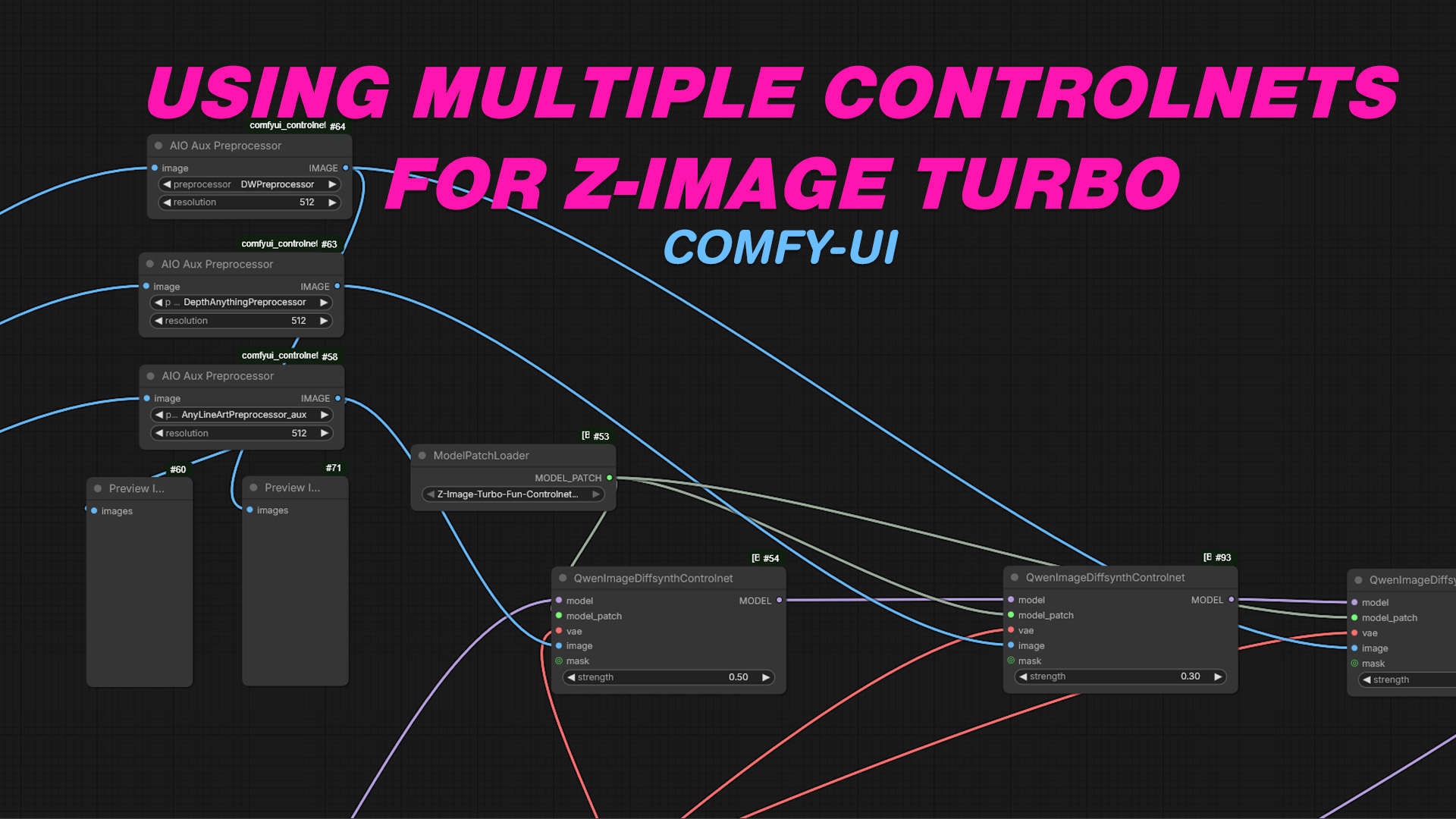
One of the most common questions I see around Zimage Turbo is:
If you prefer a video demo, see here:“How do I add multiple ControlNets to a workflow—and is there a reliable way to do it?”
The short answer is yes, but the longer answer is that success with multiple ControlNets depends far more on how you combine them than simply stacking them together.
In this post, I’ll walk through a proven workflow pattern for using multiple ControlNets in Zimage Turbo, explain why it works, and highlight the most common pitfalls to avoid.
The Core Principle: ControlNets Must Cooperate, Not Compete
Zimage Turbo handles multiple ControlNets well, but it does not automatically arbitrate conflicts between them. If two ControlNets are trying to strongly influence the same spatial or semantic features, results will degrade fast.
The tried-and-tested approach is:
Each ControlNet should have a clearly defined role, a controlled strength, and a predictable influence window.
Think of ControlNets as specialists, not co-authors.
The Proven Multi-ControlNet Pattern
A stable Zimage Turbo workflow with multiple ControlNets usually follows this structure:
1. One Structural ControlNet (Primary)
This ControlNet defines the global structure of the image.
Common examples:
-
OpenPose (human body layout)
-
Canny / Lineart (hard edges)
-
Depth (scene geometry)
Best practices
-
Set this ControlNet first in the stack
-
Use the highest weight here
-
Apply it early in the denoising schedule
This becomes the “skeleton” of the image.
2. One Spatial or Geometric Refinement ControlNet
This ControlNet refines where things go without redefining the entire structure.
Common examples:
-
Depth (if pose is primary)
-
Normal maps
-
Segmentation masks
Best practices
-
Slightly lower weight than the primary ControlNet
-
Overlapping denoising range with the primary, but shorter
-
Avoid pairing two structure-heavy ControlNets at full strength
This layer adds realism and spatial consistency.
3. One Detail or Style-Guiding ControlNet (Optional)
This ControlNet influences surface-level features rather than layout.
Common examples:
-
Tile / texture ControlNet
-
Reference image ControlNet
-
Soft edge or shading maps
Best practices
-
Lowest weight of the stack
-
Apply later in denoising
-
Never allow it to override structure
This layer enhances fidelity without fighting composition.
ControlNet Weighting: Less Is Almost Always More
A key mistake is assuming multiple ControlNets need similar strength values. In practice:
-
Primary ControlNet: strong but not maxed
-
Secondary ControlNet: moderate
-
Tertiary ControlNet: subtle
If Zimage Turbo exposes start/end steps or influence windows, use them. A ControlNet that runs for the entire denoising process will dominate more than intended.
Ordering Matters in Zimage Turbo
While Zimage Turbo doesn’t always document it explicitly, ControlNet order matters in real-world use:
-
Structural ControlNets first
-
Spatial refinement next
-
Detail/style last
This mirrors how the diffusion process builds images: structure → form → detail.
Prompt Discipline Is Non-Negotiable
Multiple ControlNets amplify weak prompting.
When using more than one ControlNet:
-
Be explicit about composition in the prompt
-
Avoid stylistic contradictions
-
Let ControlNets handle structure; let the prompt handle intent
A vague prompt plus multiple ControlNets almost always produces muddy results.
Common Failure Modes (and How to Avoid Them)
❌ Stacking Similar ControlNets
Example: OpenPose + Lineart at high strength
✔️ Solution: Pick one structural driver
❌ Maxing All Weights
✔️ Solution: Treat ControlNet strength as a hierarchy
❌ Using Style ControlNets Too Early
✔️ Solution: Push detail ControlNets later in denoising
❌ Expecting ControlNets to Fix Bad Prompts
✔️ Solution: Tighten prompt first, then add controls
The “Safe” Multi-ControlNet Recipe
If you want a repeatable baseline that works in most cases:
-
ControlNet 1: Structure (pose OR edges)
-
ControlNet 2: Depth or spatial refinement
-
ControlNet 3: Optional detail enhancer
-
Gradually decreasing weights
-
Shorter influence windows as you go down the stack
This setup has been consistently reliable across portrait, character, and scene workflows in Zimage Turbo.
Final Thoughts
There is a tried-and-tested method for using multiple ControlNets in Zimage Turbo—but it’s less about quantity and more about role separation.
If you remember only one thing, remember this:
ControlNets work best when each one does one job, at the right time, and at the right strength.
Master that, and multi-ControlNet workflows stop feeling fragile—and start feeling powerful.
If you want, I can:
-
Convert this into a Medium-style post
-
Rewrite it for technical documentation
-
Add example screenshots / diagrams
-
Or tailor it to a specific Zimage Turbo version or use case
Here’s a Medium-style rewrite with a cleaner narrative flow, scannable sections, and explicit callouts for screenshots/diagrams you can add when publishing. I’ve written it the way strong technical Medium posts are usually structured: experience-led, slightly opinionated, and visually guided.
How to Use Multiple ControlNets in Zimage Turbo (Without Breaking Your Workflow)
If you’ve spent any time with Zimage Turbo, you’ve probably asked the same question I did:
“Can I use multiple ControlNets—and if so, what’s the right way to do it?”
The short answer is yes.
The longer, more honest answer is: only if you’re deliberate about it.
Multiple ControlNets are powerful in Zimage Turbo, but stacking them without a plan almost always leads to muddy compositions, over-constrained outputs, or models that seem to “fight themselves.”
This post outlines a practical, tested approach to multi-ControlNet workflows that actually holds up in real projects—not just in theory.
The Mental Model That Makes Everything Click
Before touching sliders, it helps to understand one thing:
Zimage Turbo does not resolve conflicts between ControlNets for you.
If two ControlNets try to control the same aspect of an image at the same time, the diffusion process doesn’t “pick the better one”—it compromises. And compromises look bad.
The workflow that consistently works is based on this principle:
Each ControlNet should have a single, clearly defined role.
Think of them as specialists, not collaborators.
The Tried-and-Tested Multi-ControlNet Structure
Most stable Zimage Turbo workflows fall into a three-layer pattern.
1. Primary Structural ControlNet (The Skeleton)
This ControlNet defines the global structure of the image.
Typical choices:
-
OpenPose (human or character layout)
-
Canny / Lineart (hard edges)
-
Depth (scene geometry)
This ControlNet answers questions like:
-
Where is the body?
-
How is the scene laid out?
-
What is the camera perspective?
Best practices
-
Place this ControlNet first in the stack
-
Give it the highest weight (but not max)
-
Let it influence early denoising steps
📸 Screenshot suggestion
Zimage Turbo UI showing a single OpenPose ControlNet enabled with moderate weight.
🧠 Diagram idea
A simple wireframe figure labeled “Primary Structure.”
2. Spatial Refinement ControlNet (The Form)
The second ControlNet refines depth, volume, or spatial relationships without redefining the entire composition.
Common examples:
-
Depth (if pose is primary)
-
Normal maps
-
Segmentation masks
This layer improves realism and spatial coherence while respecting the structure laid down earlier.
Best practices
-
Lower weight than the primary ControlNet
-
Overlapping but shorter denoising influence
-
Avoid pairing two heavy structural ControlNets at full strength
📸 Screenshot suggestion
ControlNet stack showing OpenPose first, Depth second, with slightly reduced weight.
🧠 Diagram idea
Same wireframe, now filled with basic volume and depth shading.
3. Detail or Style ControlNet (The Finish)
This ControlNet affects surface detail, not layout.
Examples:
-
Tile / texture ControlNet
-
Reference image ControlNet
-
Soft edge or shading maps
This layer enhances fidelity—fabric texture, lighting nuance, stylistic consistency—without pulling the image off-model.
Best practices
-
Lowest weight in the stack
-
Apply late in the denoising process
-
Never allow it to override structure
📸 Screenshot suggestion
Third ControlNet enabled with visibly lower weight and later start step.
🧠 Diagram idea
Final render layered over the same structure, emphasizing texture only.
ControlNet Weights: Hierarchy Beats Symmetry
One of the most common mistakes is assigning similar weights to every ControlNet.
In practice, successful setups look more like this:
-
Primary ControlNet: strongest influence
-
Secondary ControlNet: moderate
-
Tertiary ControlNet: subtle
If your weights are all similar, your ControlNets are competing—even if they’re conceptually different.
If Zimage Turbo exposes start / end steps, use them. Time-based control is often more important than raw strength.
Ordering ControlNets in Zimage Turbo Actually Matters
Even if it’s not loudly documented, real-world testing shows that ControlNet order affects outcomes.
A reliable ordering is:
-
Structure first
-
Spatial refinement second
-
Detail and style last
This mirrors how diffusion builds images:
composition → form → detail
📸 Screenshot suggestion
Annotated ControlNet list with numbers showing intended execution order.
Prompt Discipline Becomes More Important, Not Less
Multiple ControlNets don’t replace good prompting—they amplify bad prompting.
When running more than one ControlNet:
-
Be explicit about composition
-
Avoid stylistic contradictions
-
Let ControlNets handle structure
-
Let prompts handle intent
If your prompt is vague, ControlNets will pull in different directions trying to fill in the gaps.
Common Failure Patterns (and How to Avoid Them)
Stacking similar ControlNets
OpenPose + Lineart at high strength often causes distortions.
✔️ Pick one structural driver.
Maxing all weights
✔️ Use hierarchy, not symmetry.
Applying style ControlNets too early
✔️ Push them later in denoising.
Expecting ControlNets to fix a bad prompt
✔️ Fix the prompt first.
A Safe, Repeatable Multi-ControlNet Recipe
If you want a baseline that works across most Zimage Turbo workflows:
-
ControlNet 1: Structure (pose or edges)
-
ControlNet 2: Depth or spatial refinement
-
ControlNet 3: Optional detail enhancer
-
Gradually decreasing weights
-
Shorter influence windows as you go down the stack
This setup has proven reliable across portraits, characters, and full scenes.
Final Thoughts
There is a reliable way to use multiple ControlNets in Zimage Turbo—but it’s less about stacking tools and more about assigning responsibility.
If you take one thing away, let it be this:
ControlNets work best when each one does one job, at the right time, and at the right strength.
Once you internalize that, multi-ControlNet workflows stop feeling fragile—and start feeling precise.